Chat with
your PDFs.
Open a PDF in Chrome and ask it anything. Every answer shows the page it came from — click it and the PDF jumps there. Summaries, tables, translations and scanned documents too — plus free tools to merge, split and compress.
See it in action
Your PDF on the left.
Answers on the right.
Features
Everything you need
from a PDF.
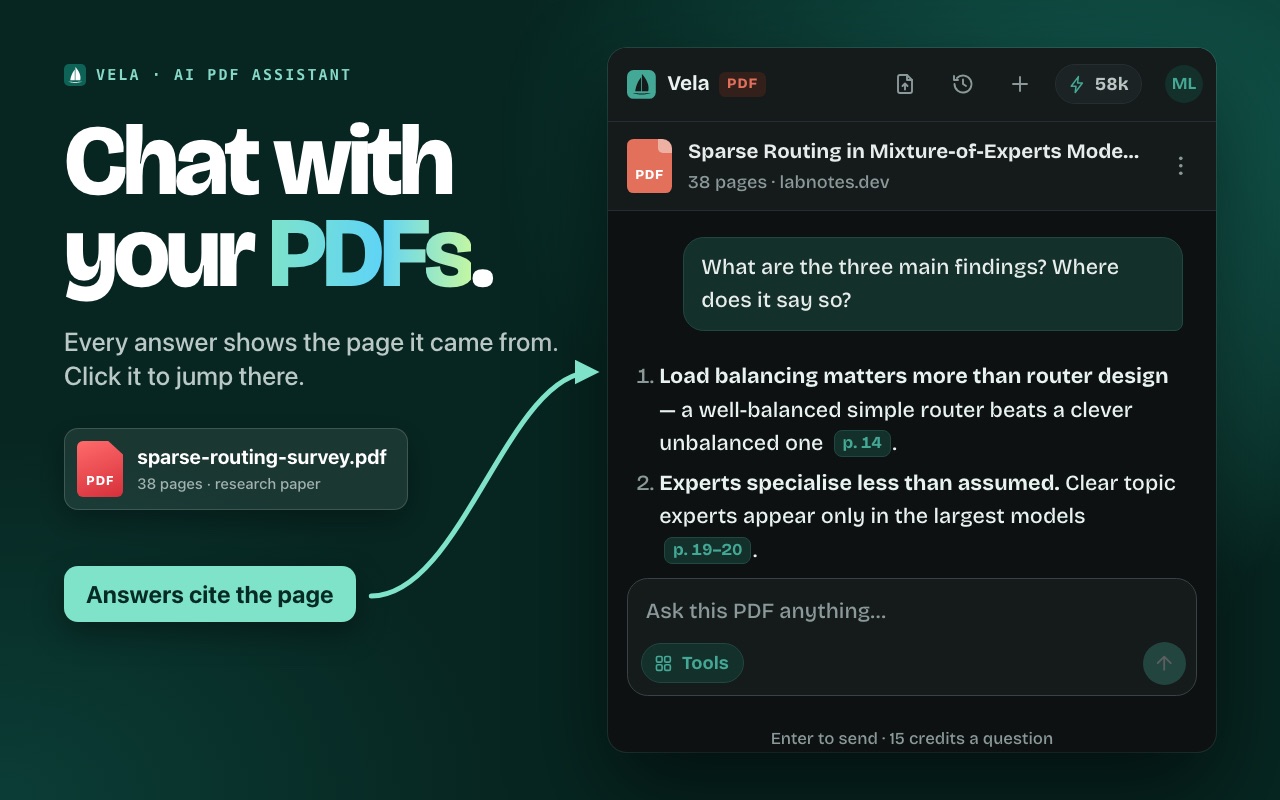
Answers that cite the page
Papers, contracts, reports, invoices. Ask about the findings or the fine print; every answer points to its page, one click away.
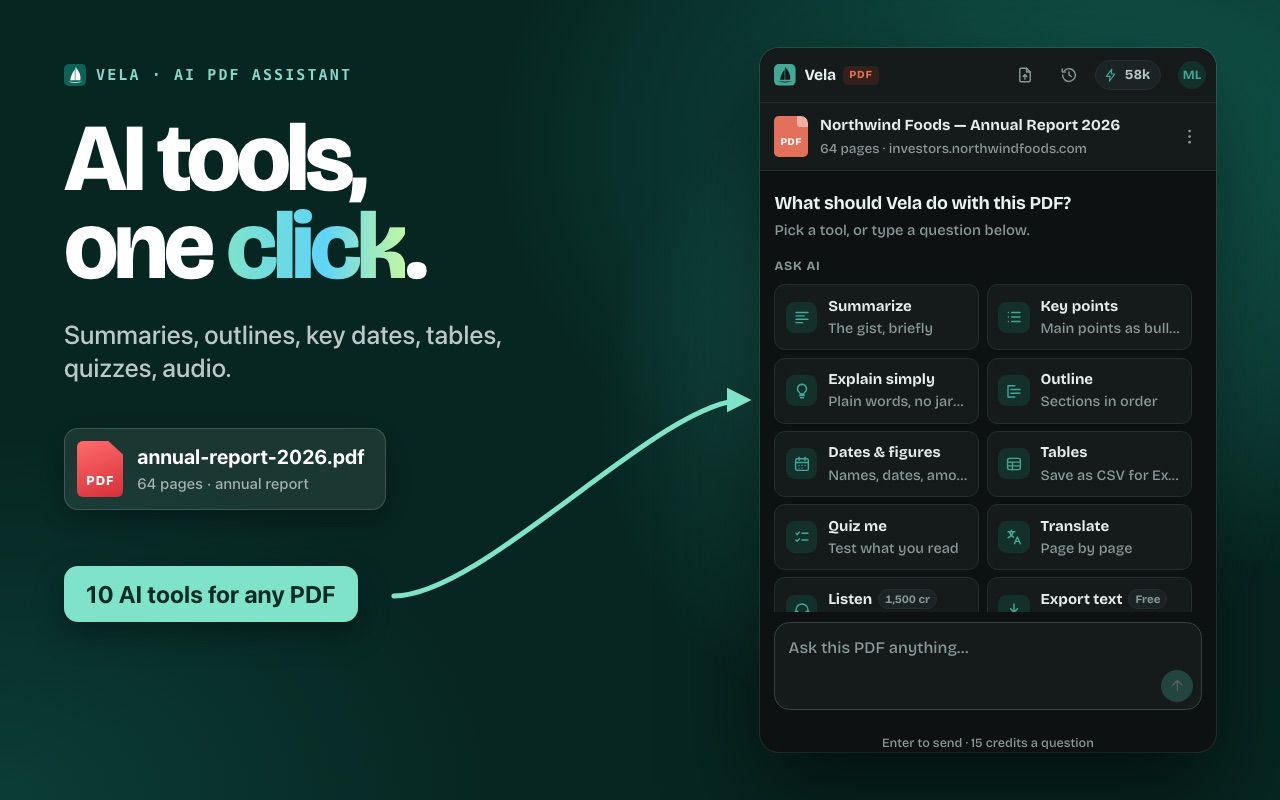
Ten AI tools, one click
Summarize, key points, explain simply, outline, dates & figures, tables to CSV, quiz, listen and text export — no prompt writing needed.
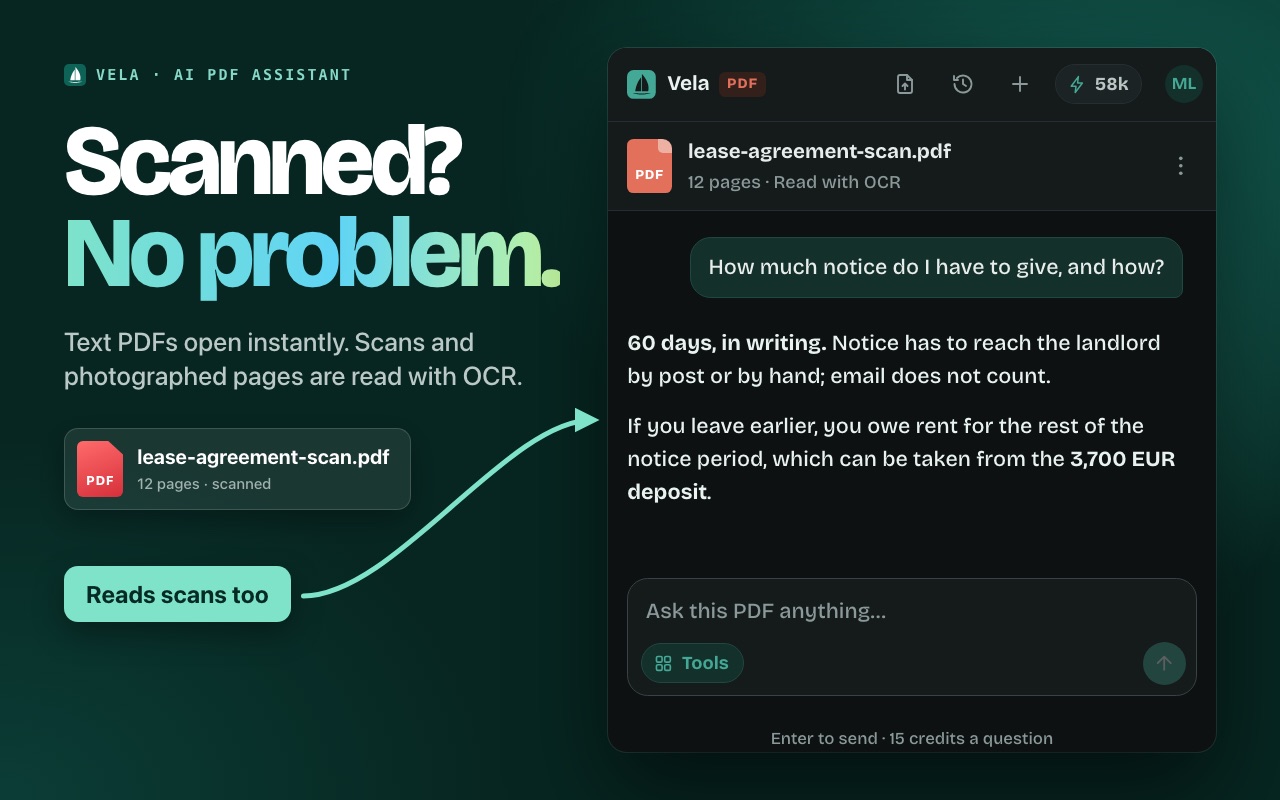
Any PDF, even scans
PDFs in a tab open on their own, files from your computer drop straight in, and scanned pages are read with OCR.
Translate page by page
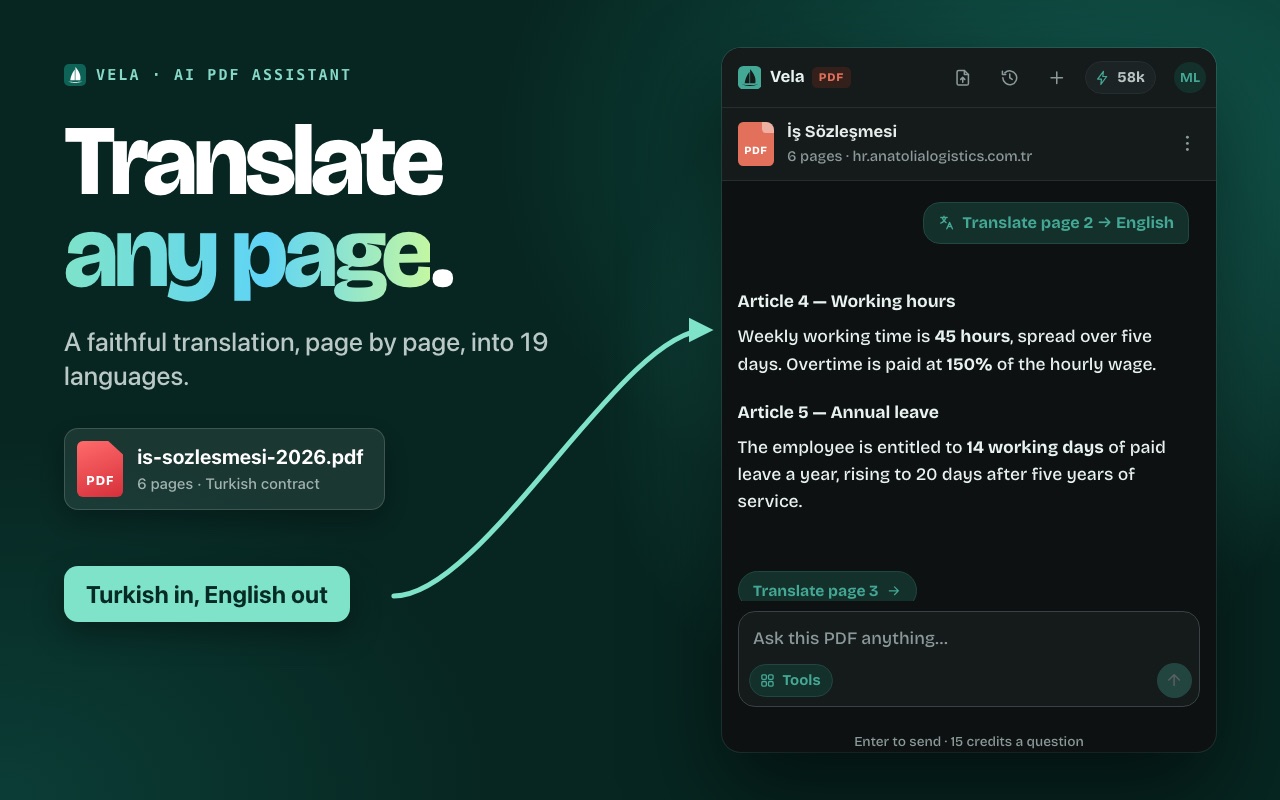
A faithful translation of each page into 19 languages — or a summary in yours. Select a passage to translate just that.
Free PDF tools
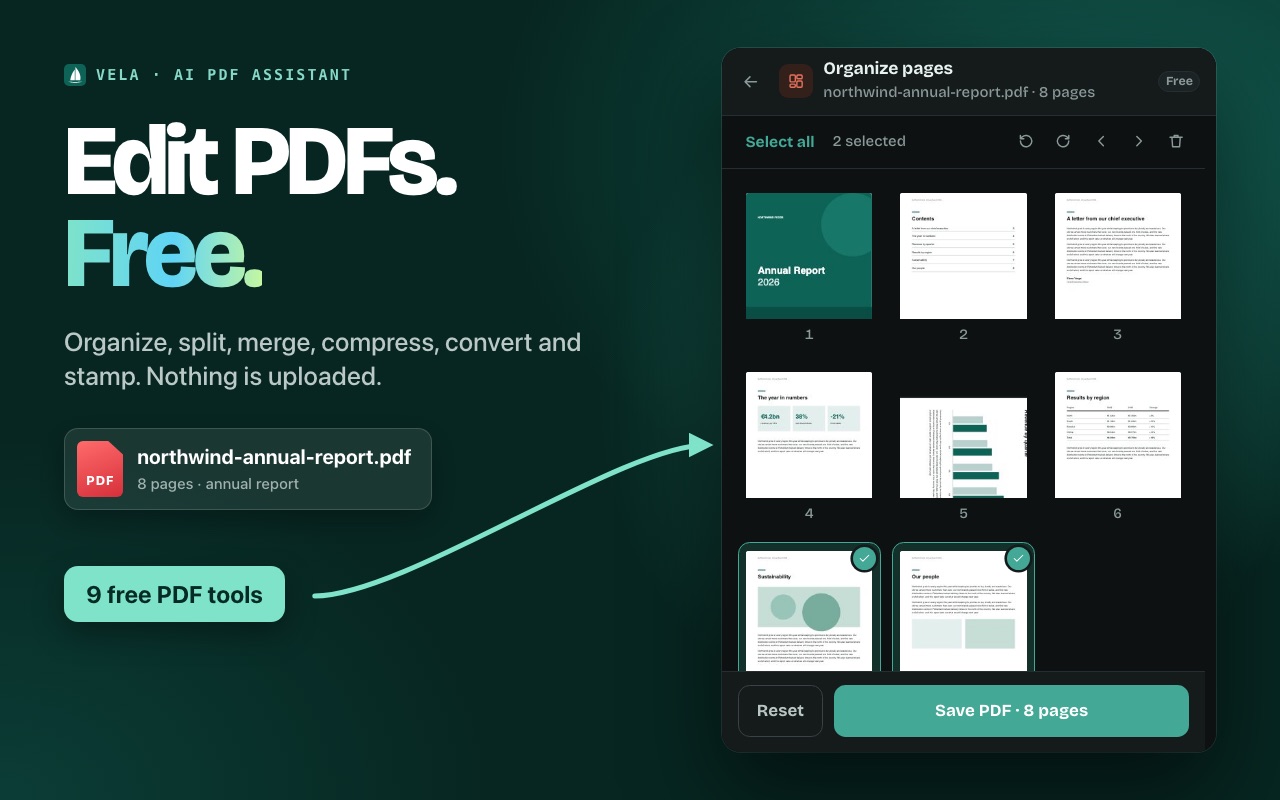
Reorder, rotate and delete pages; extract, split, merge and compress; turn pages into images and photos into a PDF; add page numbers or a watermark. Nothing is uploaded.
Long documents, handled
Ask about any page by number, or choose the pages Vela reads. Web pages work too.
Pricing
Start free.
Upgrade when you're hooked.
Free
- About 26 questions a day
- Every PDF tool, free
- No card needed
Starter
- ~4,000 questions a month
- Scanned PDFs read with OCR
- PDF chat, AI tools and read aloud
Pro
- ~10,600 questions a month
- Or ~100 read-alouds
- For heavy daily use
Max
- ~21,300 questions a month
- Or ~210 read-alouds
- For all-day use
A question costs 15 credits, a read-aloud 1,500 and reading a scanned PDF with OCR 300; reading a text PDF and every PDF tool are free. Plans are chosen inside the extension after you sign in. Prices in US dollars. Payments are processed by Creem as merchant of record, which collects any VAT or sales tax. Monthly credits reset each billing period and don't carry over. Cancel any time.
Privacy
Private
by design.
- Text PDFs are read on your computer. Their text goes to the AI only with a question you ask.
- Scans are uploaded only when you say so. OCR runs when you press "Read with OCR", never before.
- PDF tools never upload. Merging, splitting, compressing and converting happen on your computer.
- No browsing history. Document text is never saved with your chats.
- Never sold, never used for training. Read the privacy policy.
FAQ
Questions, answered.
Which PDFs work?
Almost all of them. PDFs you open in Chrome are picked up on their own. PDFs saved on your computer can be dropped onto the panel or opened with its file button. Right-click a PDF link and choose Chat with this PDF to read it without opening it. Scanned PDFs are read with OCR. Password-protected PDFs can't be read.
How long can a PDF be?
Vela reads every page. Each question can draw on roughly 15–20 pages of text at once: for a long document that is the beginning and the end, plus any page you mention by number ("what does page 40 say?"). You can also choose a page range for Vela to focus on.
Are the PDF tools free?
Yes, all nine: Organize pages, Extract pages, Split, Merge, Compress, PDF to images, Images to PDF, Page numbers and Watermark. They use no credits because they run in your browser — the file never leaves your computer. Only the AI tools and questions use credits.
Can I use it without a PDF?
Yes. Vela also summarizes web pages, explains highlighted text from the right-click menu, and works as a general AI chat on any tab.
What is a credit?
The unit Vela bills in. Every question costs a fixed 15 credits, whatever its length, and the price is shown under the message box. A read-aloud costs 1,500 credits and reading a scanned PDF with OCR 300. Reading a text PDF and the PDF tools are free.
Is it really free?
Yes. Sign in with Google and you get 400 free credits every day — about 26 questions — with no card, and the PDF tools are always free. Paid plans add more credits for heavier use.
Can I cancel?
Any time, from the billing portal in the extension's account menu or via support. You keep access until the end of the period you've paid for.
Which browsers does it work in?
Google Chrome 116 or newer. Vela uses Chrome's side panel, so it's Chrome-only for now.
Is my content used to train AI?
No. Content is sent to the model provider only to produce your answer. See the privacy policy for who processes what.
Ask your PDFs anything.
Free to start. Installs in seconds. Works on PDFs and web pages.